Skip to content

Acorn

Math, reading & music

Ten minutes. Once a day. That is the whole idea.

A parent puts a few small tasks on a calendar. A child opens the app and works through what is there — some arithmetic, a short article, a few notes on a staff — pitched at the level their age and their last few sessions say they are ready for. Then it is done, and the app has nothing else to offer them.

iPhone and iPad · iOS 17 or later · Free to download

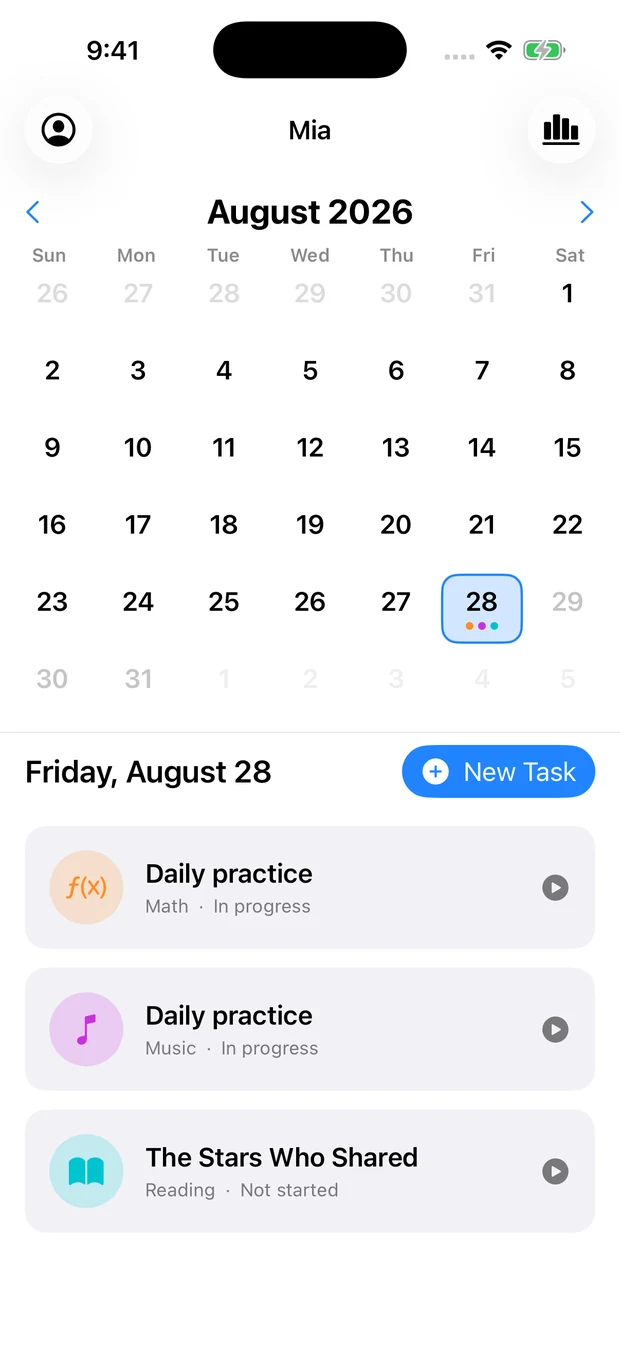
Acorn on iPhone: a month grid with today selected, and the day's tasks listed underneath.

Three subjects, one habit.

Not three apps behind one icon. The same calendar, the same profiles and the same report cover all three, so a day’s practice is a single list.

Math

84 question types · kindergarten to 6th grade

Addition through division with remainders, then fractions, decimals, negatives, place value, rounding, money, sequences, comparisons, missing operands and word problems. Nine grade bands, each a weighted mix of skills rather than one drill repeated.

Reading

270 articles · nine levels

Kindergarten through eighth grade. Every article is followed by multiple-choice questions on the main idea, a detail, a word in context, an inference or the theme — and from level five up, a wrong answer sends the reader back to the paragraph that holds it instead of just marking the box red.

Music

Five levels · staff, intervals, chords

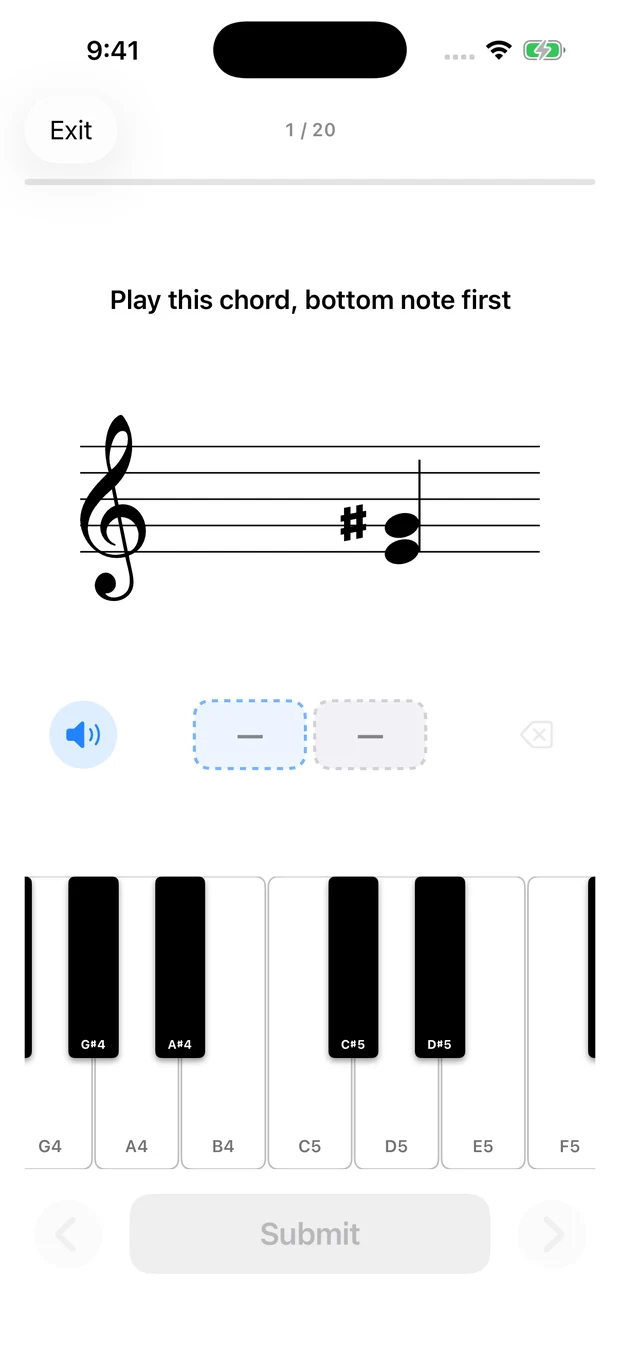
Notes on a staff the app draws itself, line by line. Levels run from naturals on the treble clef to both clefs with accidentals, picking up intervals, chords and multi-note reading on the way. Answer by naming the note or by playing it — and the keys sound, so a child hears what they are reading.

The calendar

A month at a time. A few minutes a day.

Tasks belong to a date, and that is the whole organising idea. A parent lays out the week on Sunday evening; the child opens the app and finds today already decided. No menu to browse, nothing to choose, nothing to negotiate about.

The month grid with today marked, and the day’s three tasks listed underneath — math, music and a reading article.

Setting one up

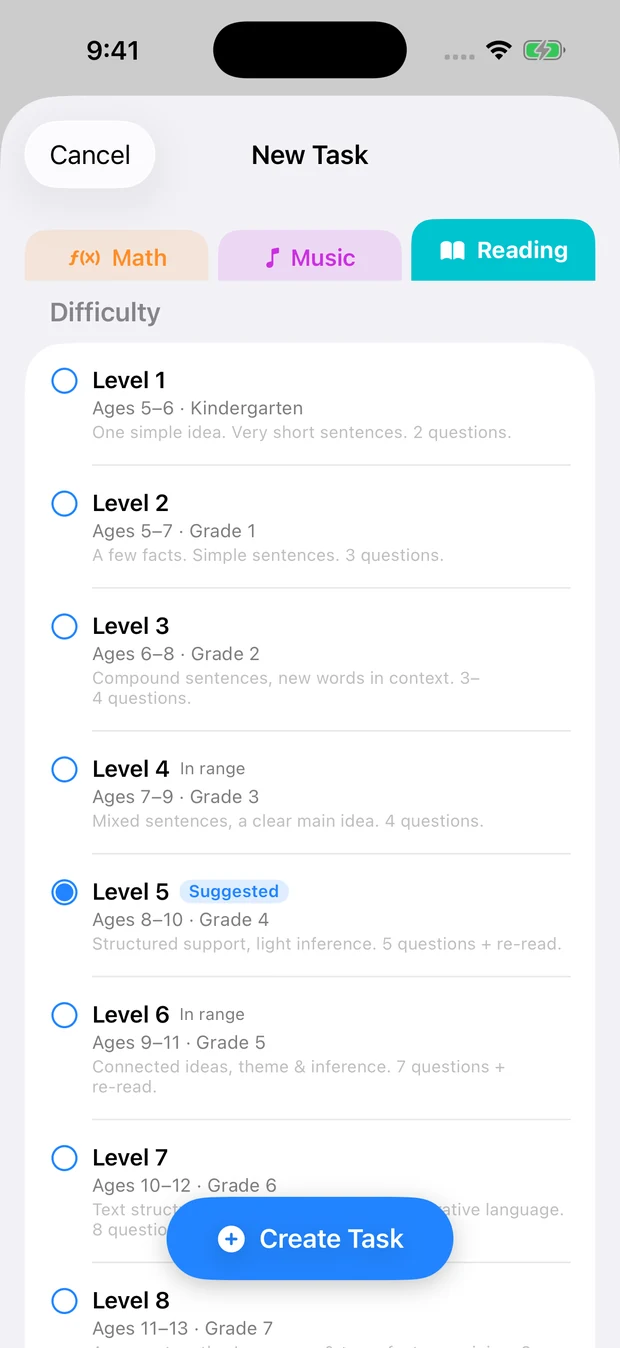
Pick the level, or let it pick.

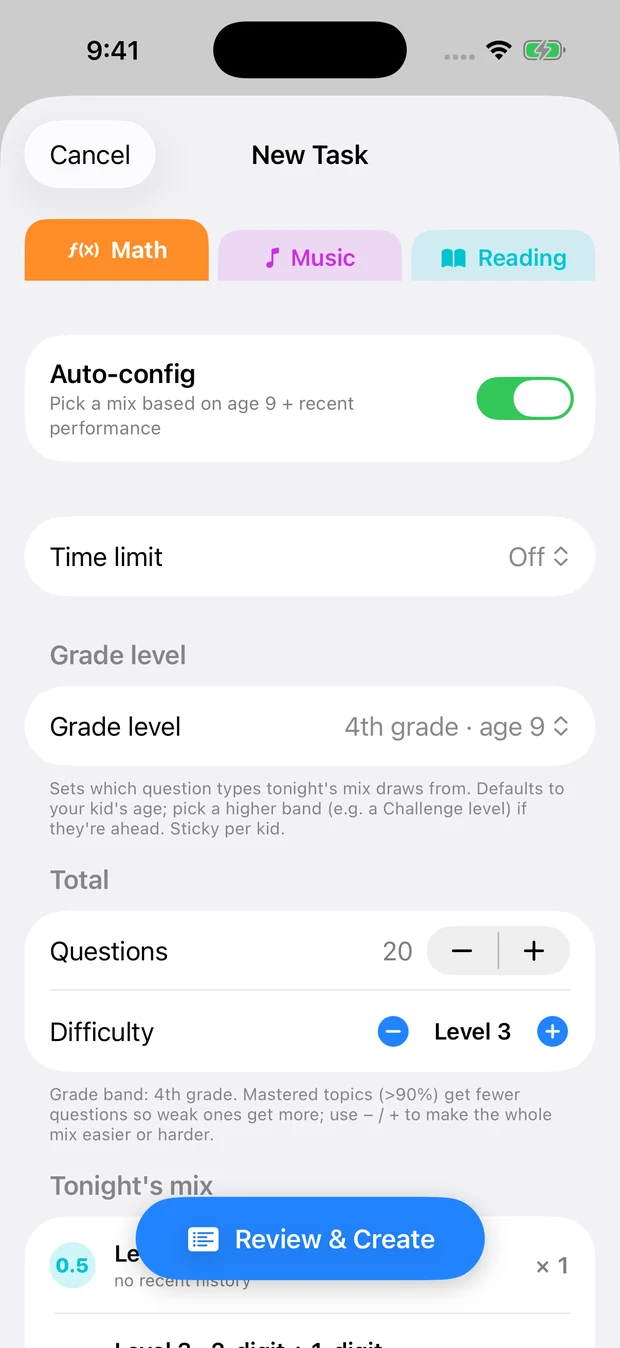
Left alone, Acorn chooses from the child’s age and how the last few sessions went — fewer questions on a skill they have above ninety percent, more on the one they keep missing. Turn that off and every level is a checkbox you can weight yourself. Either way you see the actual questions before you commit, and the task you create is the set you reviewed rather than a fresh roll of the dice.

The math task sheet: an auto-config toggle, a grade band, a difficulty stepper and the resulting mix of skills.
The reading level picker, each level showing its age range, grade and what it asks for.

Kid mode

Nothing on the screen but the question.

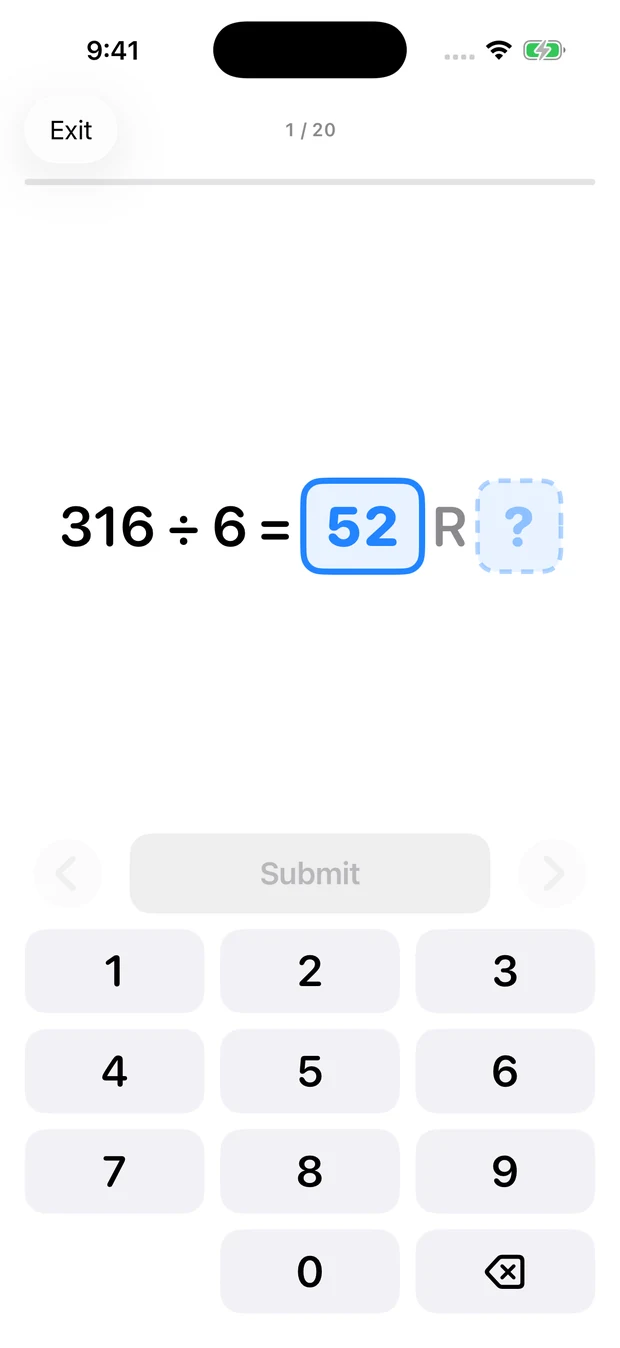
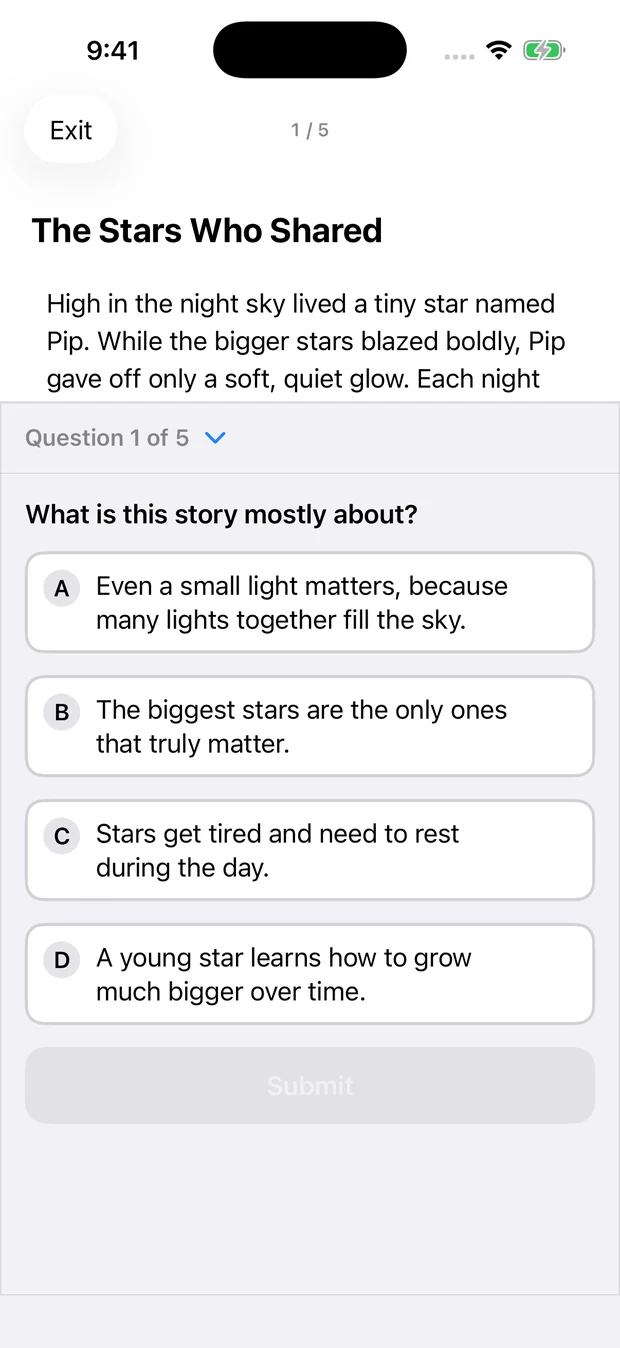
One question at a time, and no running score. Grading happens quietly and the result waits until the end, because a child who can watch their percentage slipping stops thinking about the question in front of them. No streak animation, no coins, no character to feed.

A long-division question, 316 divided by 6, with quotient and remainder boxes above a numeric keypad.
A chord on the treble staff, with a piano keyboard below and a listen button.
A short article above a multiple-choice comprehension question.

Afterwards

What stuck, and what did not.

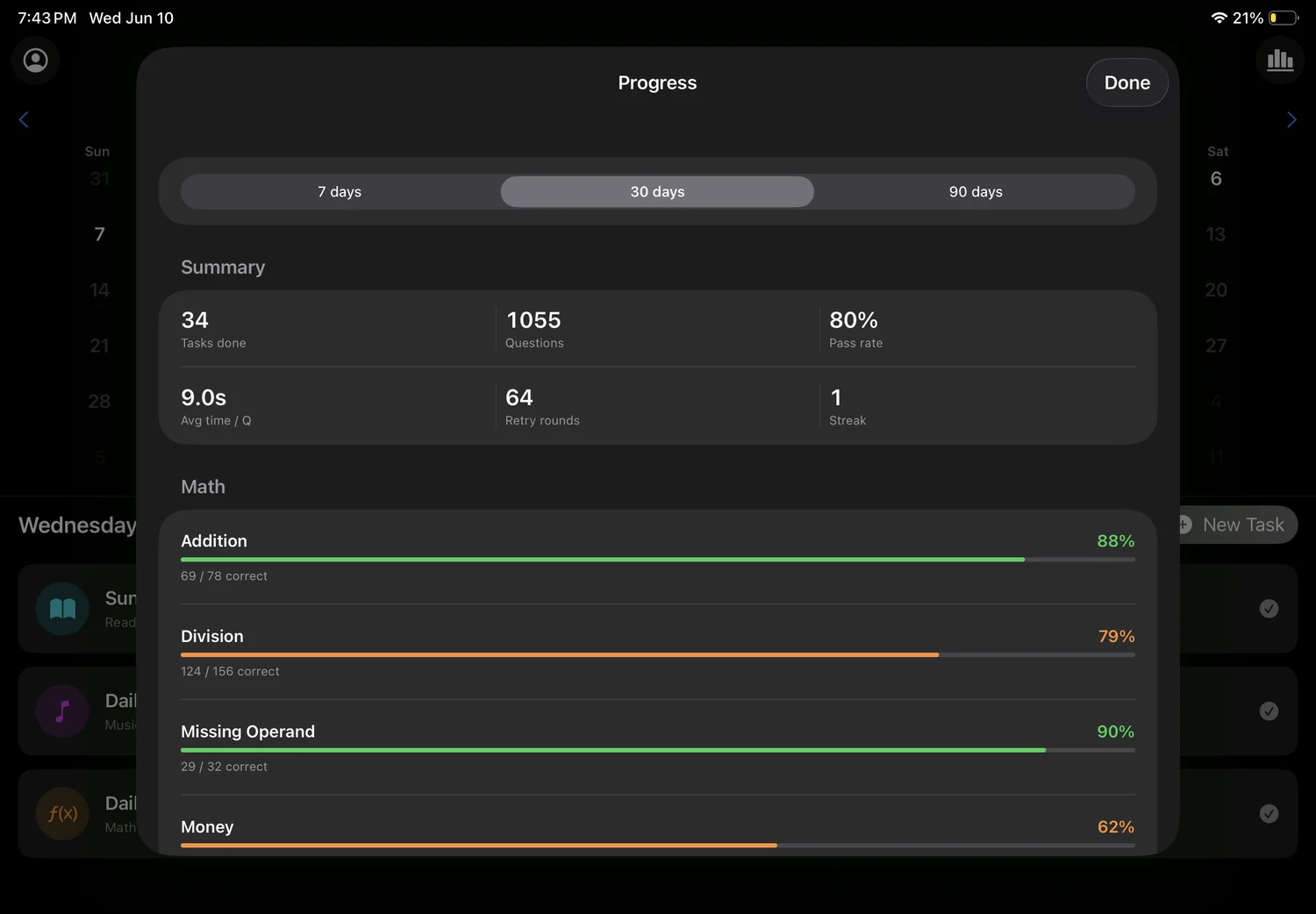
Seven, thirty or ninety days of it: tasks finished, how long an answer takes, and a pass rate for every individual skill rather than one number for “math”. The figure you see is always the first attempt — retries do not launder it — so a skill that needs another week cannot hide behind a second go.

The progress sheet on iPad: tasks done, questions, pass rate, average time, retry rounds and streak, above a pass-rate bar for each math skill.

On iPad

Room to put the article and the question side by side.

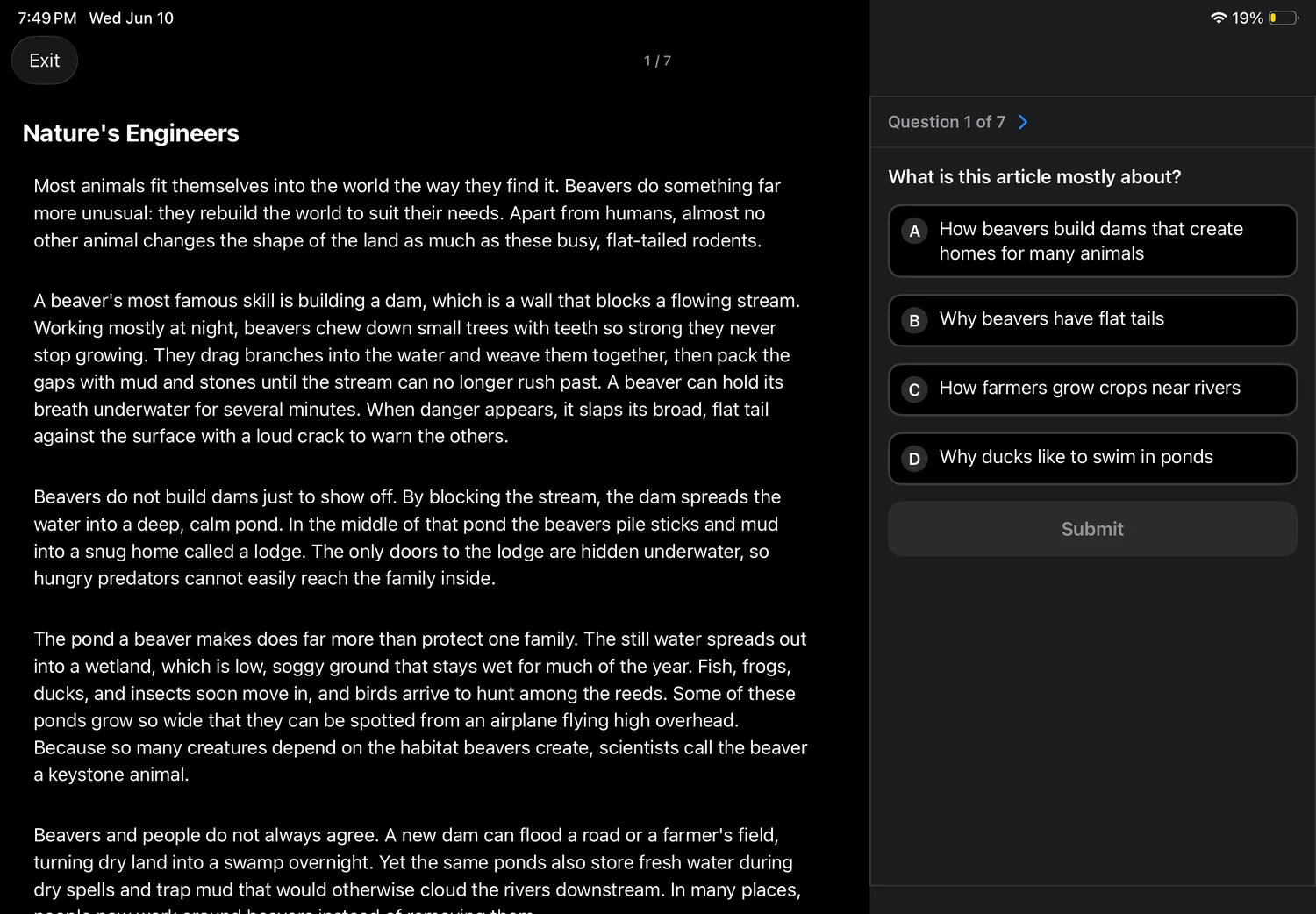
The reading screen stops being a scroll and becomes a split: the whole passage on the left, the question on the right, and no thumb-scrolling back and forth to check what the second paragraph actually said.

Acorn on iPad: a full article about beavers on the left, with a multiple-choice comprehension question beside it on the right.

Built for the boring middle.

The hard part of daily practice is not day one. It is day forty, and the week after a holiday, and the subject nobody in the house enjoys.

The missed ones come back

Finish a task and whatever was wrong or skipped becomes a short second round, then a third. The first-pass score is kept separately and never overwritten, so a retry is practice rather than a way to fix the number.

One app, every child

A profile for each child, with their own birthday, their own level in each subject and their own calendar. Nothing is shared between them except the app itself.

It reads the articles aloud

A child who is not yet reading fluently can listen instead and still answer the questions — which is a different skill from decoding, and worth practising on its own.

A timer, if you want one

Any task can carry a time limit, or none at all. Twenty questions with no clock is a calm twenty minutes; the same twenty against five minutes is a different exercise entirely.

Nothing is collected

No account, no sign-up, no analytics. Profiles, tasks and answers stay on the device, and the App Store lists the app as collecting no data at all.

No ads and nothing to unlock

No shop, no currency, no chat, nobody else in the app. A child who finishes their tasks is finished, which is the point.

Free to download.

Creating profiles and daily tasks needs Acorn Pro, $4.99 a month, starting with a 3-day free trial in the US and Canada. It renews until you cancel, and you cancel it in Settings like everything else. One subscription covers every child on the device.

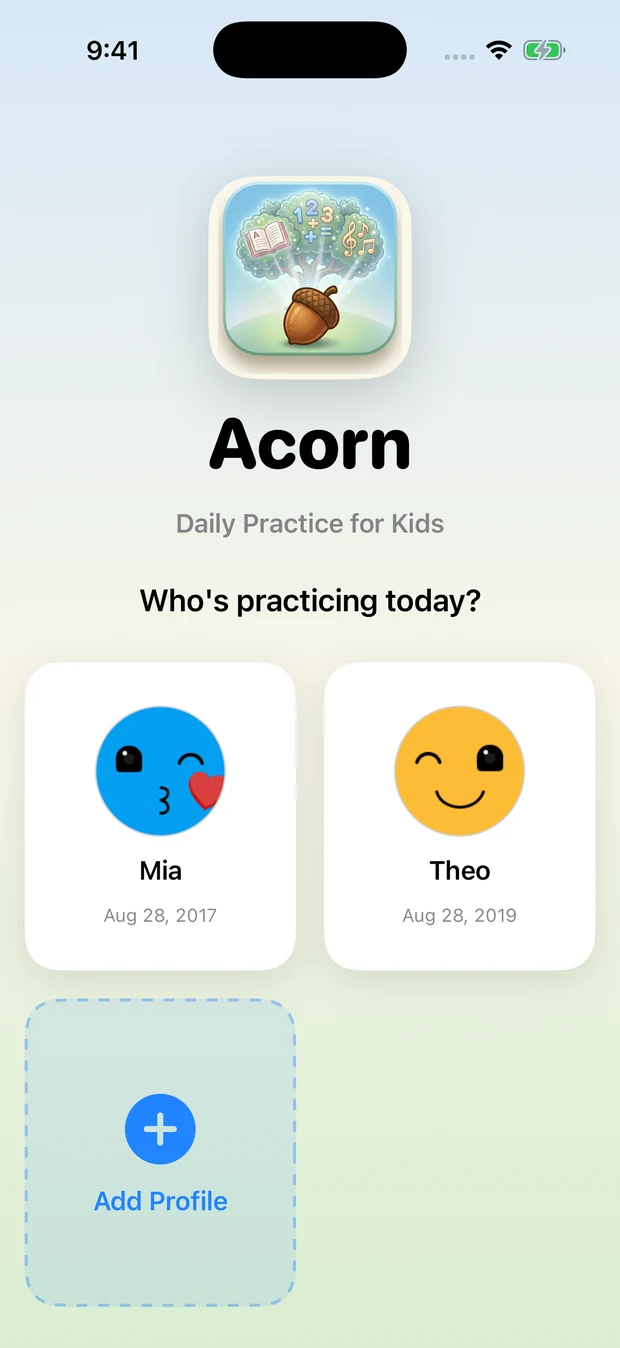
The profile picker: the Acorn icon above two children's profiles and an Add Profile tile.

Questions and answers.

What is Acorn?

Acorn is an iPhone and iPad app for daily practice in math, reading and music. A parent puts a few small tasks on a calendar, and a child works through them in kid mode, pitched at the level their age and their last few sessions say they are ready for.

What ages is Acorn for?

Acorn’s math covers kindergarten to 6th grade in nine grade bands, and its 270 reading articles run from kindergarten through 8th grade in nine levels. Music has five levels, from naturals on the treble clef to both clefs with accidentals.

How much does Acorn cost?

Acorn is free to download; creating profiles and daily tasks needs Acorn Pro, $4.99 a month, starting with a 3-day free trial in the US and Canada. It renews until you cancel it in Settings, and one subscription covers every child on the device.

Does Acorn have ads?

No. Acorn has no ads, no shop, no in-app currency, no chat and nobody else in the app — a child who finishes their tasks is finished.

Does Acorn work on iPad?

Yes. Acorn runs on iPhone and iPad with iOS 17 or later, and on iPad the reading screen puts the whole article and the question side by side.

Is my child’s data collected?

No. Acorn has no account, no sign-up and no analytics; profiles, tasks and answers stay on the device, and the App Store lists the app as collecting no data at all.

Can I use Acorn with more than one child?

Yes. Acorn gives each child a profile with their own birthday, their own level in each subject and their own calendar, and one Acorn Pro subscription covers every child on the device.

Can a child who is not reading yet use Acorn?

Yes. Acorn reads its articles aloud, so a child who is not yet reading fluently can listen instead and still answer the comprehension questions.
Support

Bugs, questions and feature requests go to our Discord forum, in the open, where you can see what has already been reported and what is being worked on. Say which subject, which level and what you expected instead — that is usually enough to find it.