Intonation
Where the line sits in the lane is the pitch — and the colour is the same number again. White inside your tolerance, redder as you ride sharp, bluer as you go flat.
Intonation & practice journal
Play a note. Watch it appear.
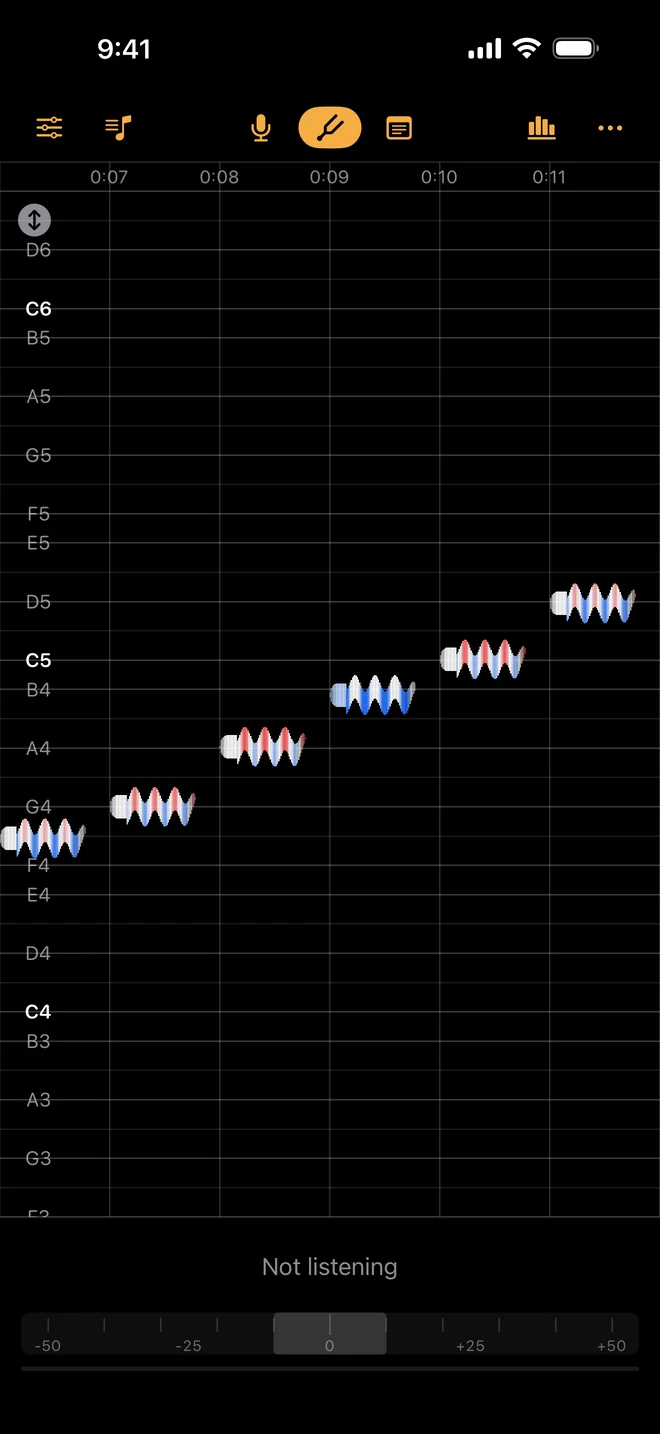
MusicShape draws your playing as a single line crossing a grid of semitones, and that one line carries three things at once. Where it sits is the pitch. How it waves is your vibrato. How thick it is is how loud you are playing.
Beethoven’s Ode to Joy, drawn here the way the app draws it — height is the pitch, the wave is the vibrato, the thickness is the loudness, and the hue is the signed error.
The trace is not decorated with extra readouts. The same stroke carries all three, which is why the app is called what it is.
Where the line sits in the lane is the pitch — and the colour is the same number again. White inside your tolerance, redder as you ride sharp, bluer as you go flat.
How the line waves is your vibrato, at the rate and depth you actually played it. Two notes side by side settle the question of whether yours is as even as it feels.
How thick the line is is how loud you are playing, so pp draws thin and ff draws thick and a crescendo that never quite arrived looks like one.
The trace
Pitch, volume and intonation, drawn as you play against a grid of semitones you can pan and pinch. The scoop up into a note, the one that sags halfway through, the swell that never arrived — a phrase becomes a shape you can read at a glance. It is the difference between a tuner telling you that was flat, and seeing exactly where, and by how much.
The readout
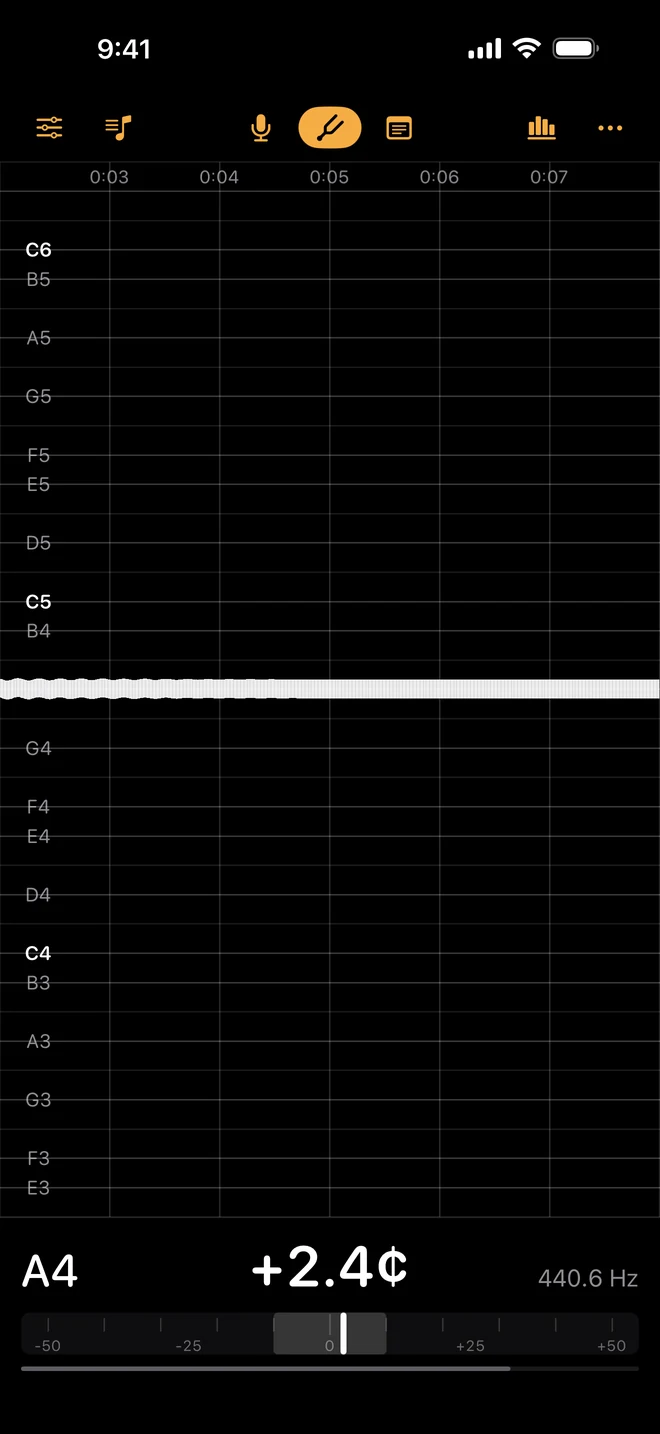
Note, cents and frequency, live under the trace. Set your key, your temperament and your A — equal, Pythagorean or just — because a leading note in a Bach sarabande is not the note an equal-tempered needle is waiting for, and an ensemble at A=415 is not playing out of tune.
The journal
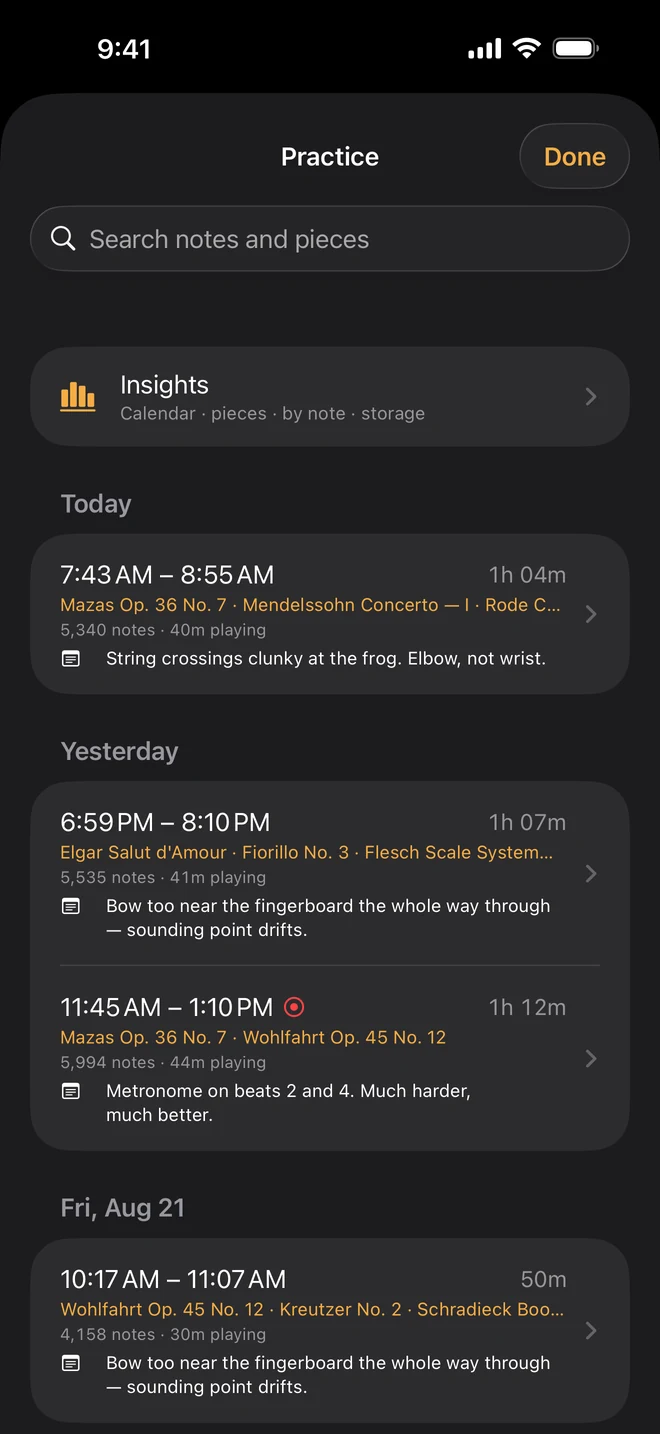
Open it, play, put it down. Each sitting is kept on its own: what you worked on, and how long you actually played as opposed to how long the case was open. Type a note mid-practice — still flat on the top A — and find it again in March.
Insights
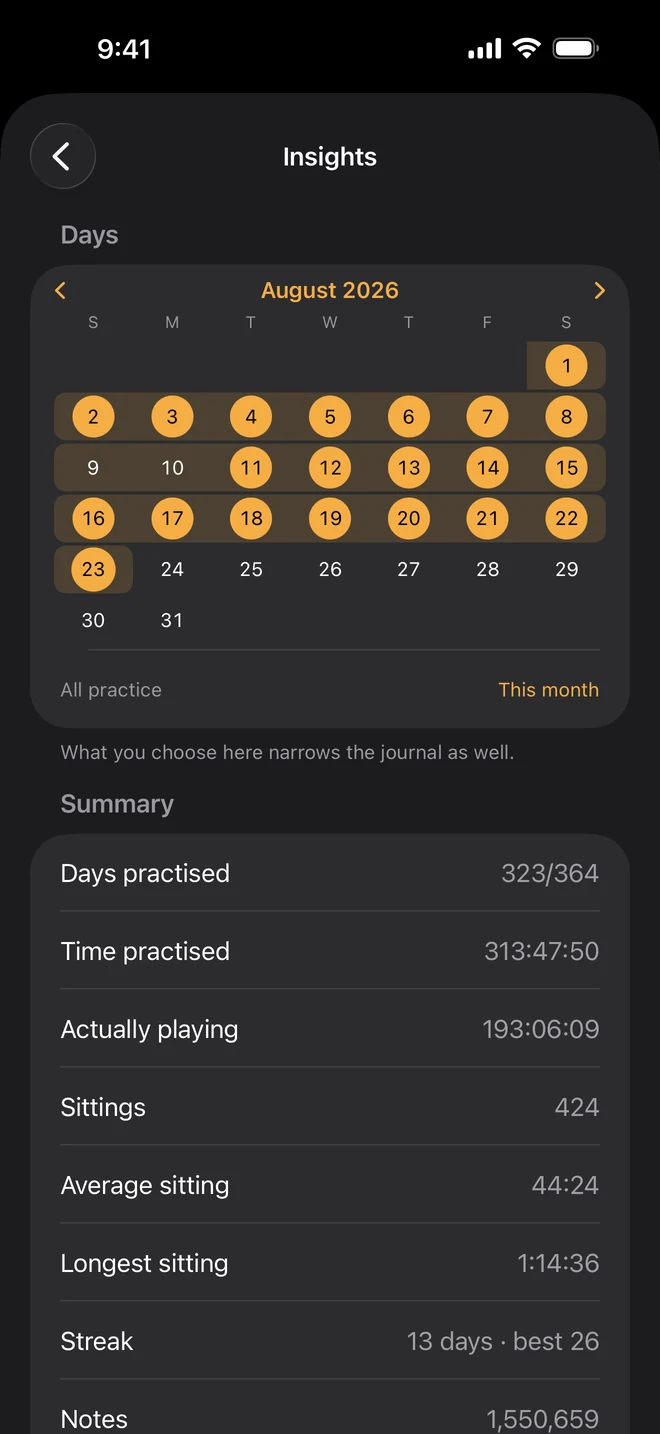
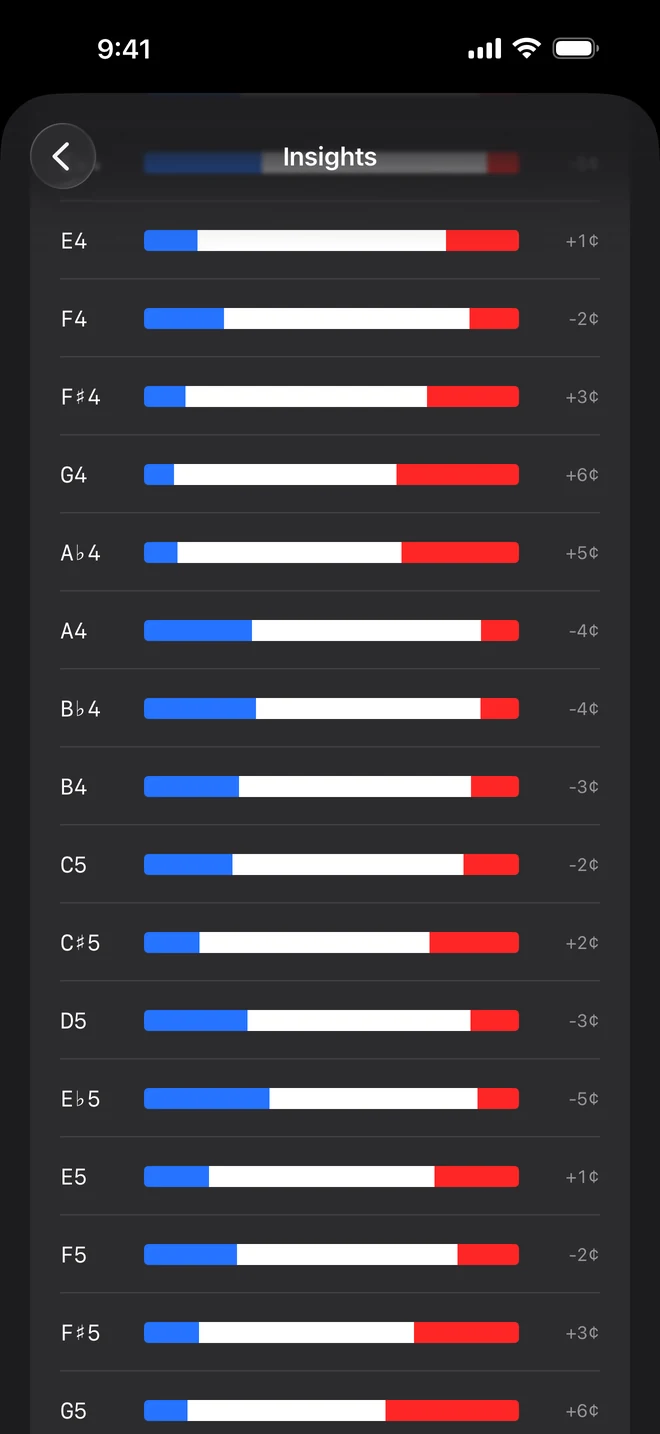
A calendar of everything you have played, the days you practised and the streak you are on. Which notes you miss and which way you miss them. What time of day you really practise, as opposed to when you meant to. And any piece you have named becomes a place of its own: how its intonation has moved across the stretch you are looking at, which of its notes still need the work, and every practice note you wrote while you were in it.
Share
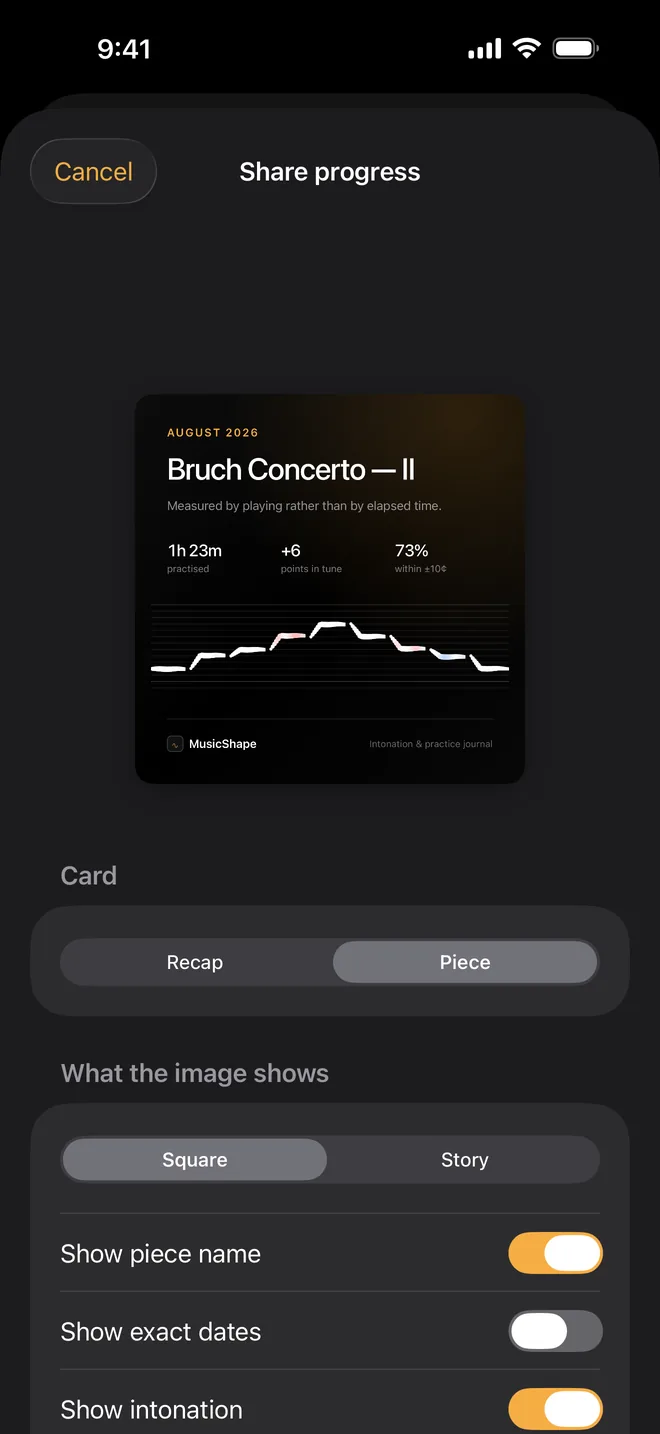
A month of practice adds up to something worth showing: the days, the hours you actually played, and how much of it landed in tune, on a card you can post anywhere. You choose what goes on it — the piece name, the exact dates, the intonation, a practice note — and you see every field before anything moves. It is made on the device, uploaded nowhere, and nothing in the app ever asks you to.
Intonation is a concern on every instrument whose player picks the note — not only on the ones with fingerboards.
Strings, brass, woodwinds and voice — violin to double bass, trumpet to tuba, piccolo to bassoon, soprano to bass. Each brings its own range and its own default tolerance, and transposing instruments are named by their key, so a B♭ clarinet is listed as one.
Nobody agrees on the number, so it is yours to set. Choose your tolerance — the app suggests one for your instrument — and the colours, the counts and the progress all follow it.
Most of the time you only want to see the line. When a run-through is worth keeping, hold the Listen button and record it: the shape, the notes, and the sound if you want it. Old recordings can be thinned out later without losing what you wrote about them.
Months of playing add up to something you would not want to lose. Your log is included in your iPhone's backup, so a new phone restores every session, every note you wrote and every piece you tracked — with no account to create and nothing to remember to export.
An intonation app you have to keep plugged in is one you stop opening. This one is built for a real practice session, and it stops listening by itself when you put the instrument down.
No analytics, no servers, no sign-up. Every note is measured and every figure is worked out on the device, and nothing about your playing is collected.
On iPad
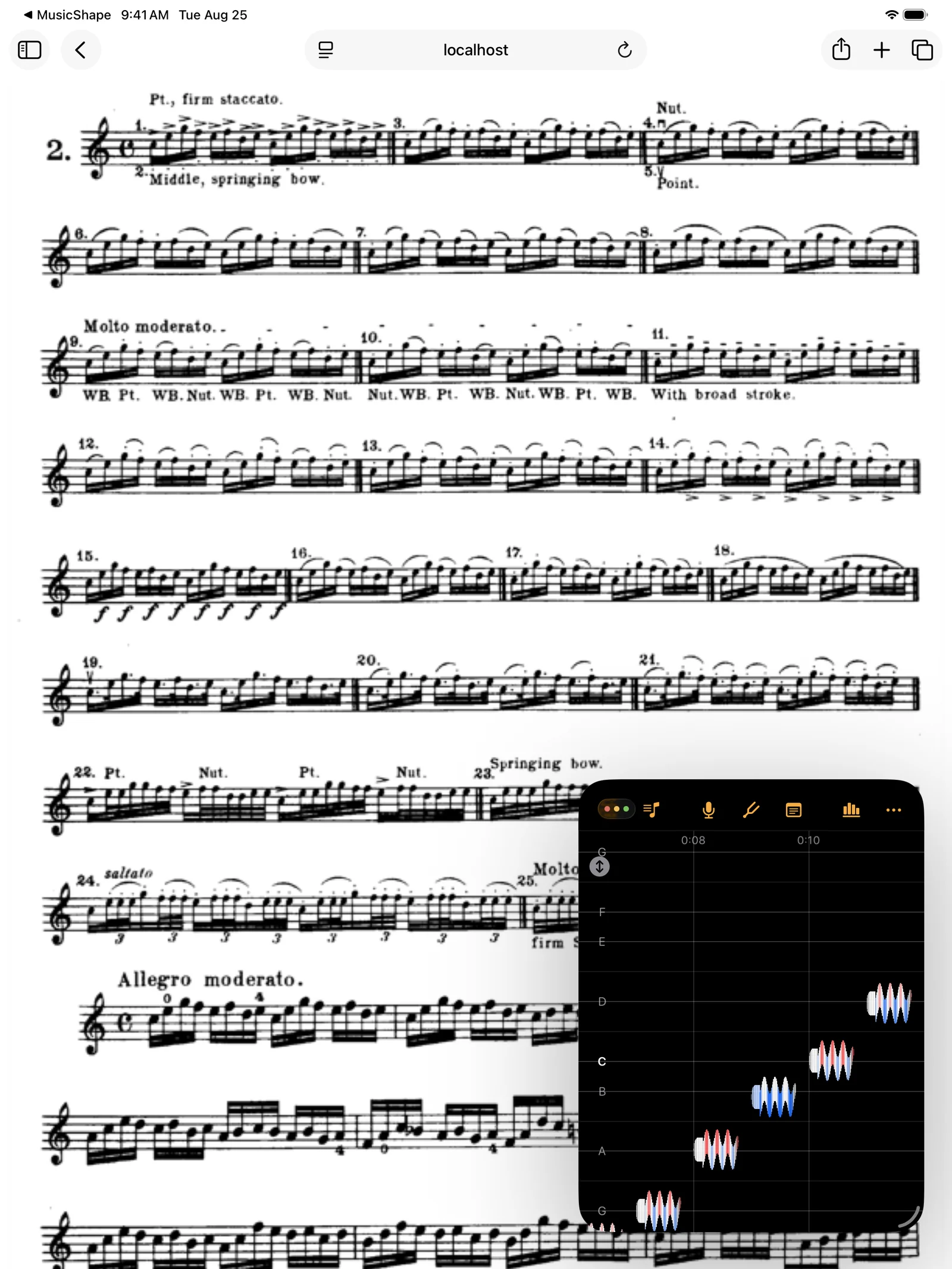
The same app, running as a window in the corner while the music you are working on fills the rest of the screen.
Buy it once and every future update is included — and there is a great deal more on the way, because this is an app still being actively built. Nothing is collected, there is nothing to sign up for, and your playing never leaves your phone.
MusicShape is an intonation app and practice journal for iPhone and iPad. It draws your playing as a single line across a grid of semitones: its height is the pitch, its wave is your vibrato and its thickness is how loud you are playing, and it keeps a journal of every sitting.
A tuner tells you a note was flat; MusicShape shows you exactly where and by how much, because it draws the whole phrase as a shape you can read at a glance. It still reads the note, cents and frequency live, to a tenth of a cent.
MusicShape covers twenty-one instruments across strings, brass, woodwinds and voice — violin to double bass, trumpet to tuba, piccolo to bassoon, soprano to bass. Each has its own range and default tolerance, and transposing instruments are named by their key.
Yes. In MusicShape you set your key, your temperament (equal, Pythagorean or just) and your reference A, so an ensemble at A=415 is not read as out of tune. You also choose the tolerance that counts as in tune, starting from the one the app suggests for your instrument.
No. MusicShape has no analytics, no servers and no sign-up: every note is measured on the device and nothing about your playing is collected. Your practice log is included in your iPhone's backup, and a shared image is made on the device and uploaded nowhere.
Yes. MusicShape runs on iPhone and iPad with iOS 18 or later, and on iPad it can run as a window in the corner while your score fills the rest of the screen.
No. MusicShape is a one-time purchase with no subscription, no ads and no account, and every future update is included.
Bugs, questions and feature requests all go to our Discord forum, in the open, where you can see what has already been reported and what is being worked on.